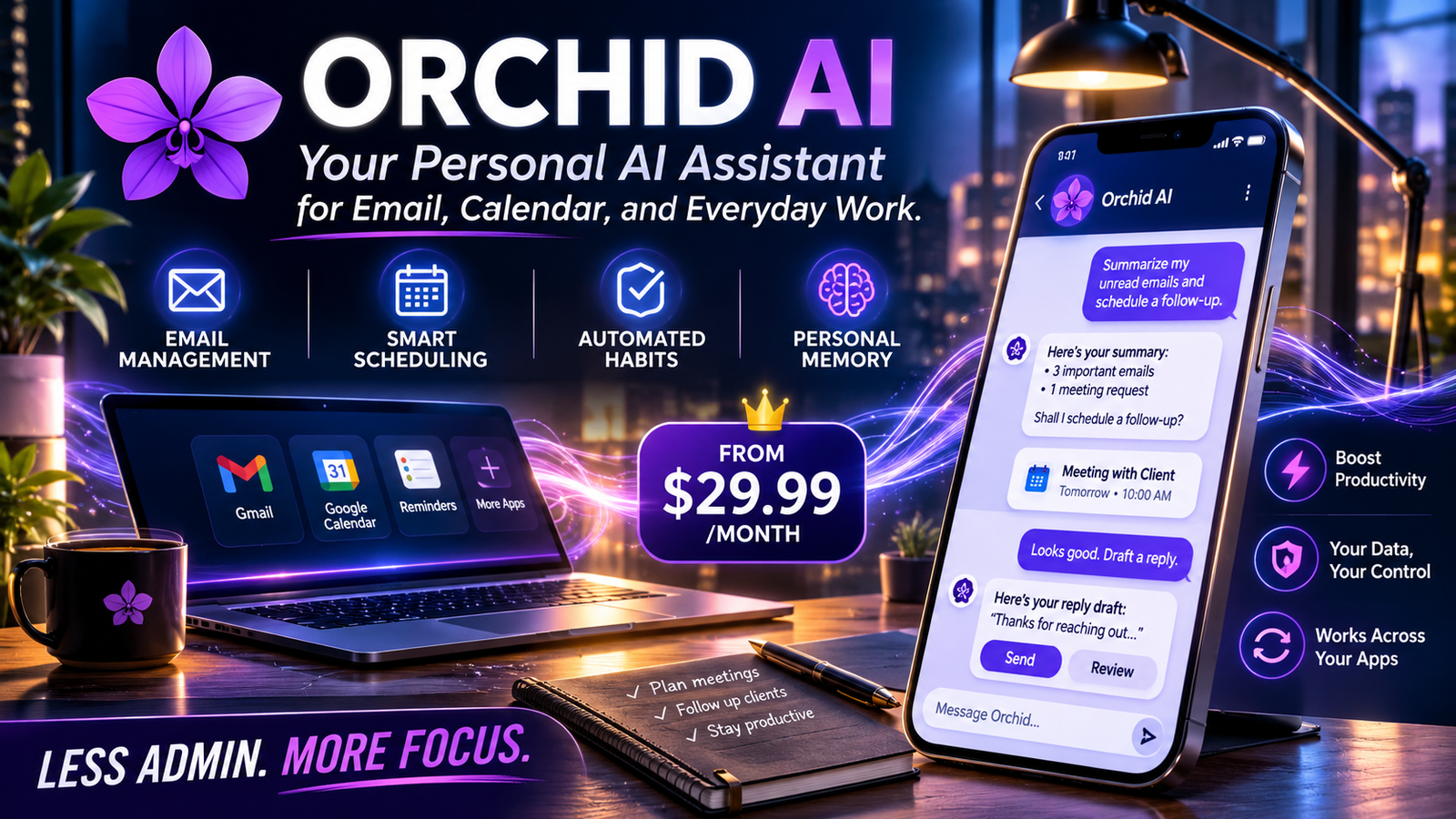
Orchid AI is a personal AI assistant that works through messaging, connecting with supported apps to manage email, calendars, reminders, and recurring tasks. It aims to reduce administrative work by preparing actions and handling routine workflows, with user approval playing an important role in its operation.
Orchid AI at a Glance
- Product category: Personal AI assistant and workflow automation.
- Official website: orchid.ai.
- Primary interface: Messaging, including iMessage.
- Main capabilities: Email assistance, calendar organization, reminders, recurring habits, and personal memory.
- Pricing: The company’s September 2026 pricing guide lists plans starting at $29.99 per month.
- Best suited for: Busy professionals who want help managing everyday administrative responsibilities.
What Is Orchid AI?
Product overview · Updated November 2026
Orchid AI is an AI-powered personal assistant designed to manage routine tasks through conversational messaging.
Instead of opening several productivity applications, users can communicate with Orchid and delegate tasks using ordinary language. The assistant connects with supported services, interprets requests, and helps complete administrative workflows.
Its central idea is simple: users should spend less time managing their inboxes, appointments, and reminders.
Who developed Orchid AI?
Orchid is a product of Zero Email, Inc., a Delaware corporation. Its team is associated with the Spring 2025 Y Combinator batch. The company’s earlier work included an AI-native email client called Zero. Y Combinator+1
The product subsequently developed into a broader personal assistant.
Orchid opened its beta to initial users on March 15, 2026. Its positioning focuses on proactive assistance rather than simply answering questions in a chatbot interface. Orchid+1
What problem does Orchid AI solve?
Modern professionals often manage several disconnected applications:
- Email for communication.
- Calendars for appointments.
- Messaging platforms for coordination.
- Notes for remembering important information.
- Reminders for deadlines and personal responsibilities.
Switching between these services creates administrative overhead.
Orchid attempts to bring these activities into one conversational workflow. A user can request a reminder, ask for an email summary, or delegate a scheduling task without manually navigating every application.
The distinction is important: Orchid is designed to help execute tasks, not simply generate text.
How Does Orchid AI Work?
Orchid combines natural-language interaction, connected applications, AI processing, and workflow automation.
A typical workflow follows five stages.
How the assistant processes a request
- User sends a messageThe user describes a task in ordinary language, such as requesting an email summary or a calendar update.
- Orchid interprets the requestAI processing identifies the intended task, relevant information, and required action.
- Connected applications provide contextOrchid accesses information from authorized services, such as Gmail and Google Calendar.
- The assistant prepares or performs the taskIt can organize information, prepare drafts, schedule activities, and initiate supported workflows.
- The user reviews important actionsEmail replies remain drafts until the user sends them. Calendar holds require approval, according to Orchid’s FAQ.
Orchid+1
Does Orchid AI use AI agents?
Orchid fits the broader category of AI agents because it connects language-based instructions with actions in external applications.
A traditional chatbot mainly responds with information. An AI agent can also interact with connected services to complete a task.
For example:
- A chatbot can explain how to arrange a meeting.
- An AI assistant can check calendar information and prepare a meeting invitation.
- A workflow agent can monitor a recurring task and notify the user when action is required.
Orchid’s product design follows the third approach in supported workflows.
However, its exact underlying model architecture, model selection strategy, and technical orchestration details are not fully documented publicly. It would therefore be misleading to claim that it uses a particular LLM, proprietary model, or fine-tuning method.
Key Features of Orchid AI
Orchid’s value depends on how effectively it handles everyday tasks. Its advertised features cover several productivity categories.
1. AI Email Management
Email management is one of Orchid’s central capabilities.
After connecting Gmail, users can ask the assistant to help with:
- Identifying important messages.
- Organizing inbox conversations.
- Summarizing email threads.
- Preparing responses.
- Drafting replies in the user’s writing style.
- Highlighting messages that need attention.
Orchid says it learns a user’s communication style by analyzing previously written messages.
This can make generated drafts more contextually appropriate than generic AI responses. However, users should still review important messages for accuracy, tone, and unintended commitments.
2. Calendar and Meeting Management
Orchid also supports Google Calendar workflows.
Its advertised capabilities include:
- Reviewing scheduled meetings.
- Organizing calendar events.
- Preparing meeting invitations.
- Responding to invitations.
- Helping coordinate meeting times.
- Preparing information before important calls.
Calendar assistance can be particularly useful for professionals who manage several meetings each day.
One important safeguard is that Orchid’s FAQ says calendar holds require user approval. Orchid+1
3. Automated Habits and Recurring Tasks
One interesting aspect of Orchid AI is its focus on recurring activities.
Rather than manually creating the same task every day, users can describe a routine in natural language.
Examples include:
- Receiving a daily news digest.
- Getting weather notifications.
- Tracking recurring personal goals.
- Receiving medication reminders.
- Following up on unfinished tasks.
- Getting reminders about upcoming events.
These workflows can reduce the need to repeatedly configure individual reminders.
However, users should distinguish between a scheduled reminder and an action that depends on an external service. Flight check-ins, for example, require compatible integrations and appropriate authorization.
4. Personal Memory and Context
Orchid positions itself as a second brain that can remember useful personal details.
This feature aims to make future interactions more contextual.
For example, a user might ask about a restaurant visited previously or request information about a remembered preference.
The practical benefit is continuity. Users do not need to repeat every relevant detail during every conversation.
Nevertheless, personal memory should not replace checking important information. Users should also understand what information is stored and how deletion works before sharing sensitive details.
5. Administrative Task Assistance
Orchid also markets itself as an assistant for routine administrative responsibilities.
These include:
- Bills and invoices.
- Bookings.
- Follow-up messages.
- Forms.
- Travel planning.
- Gift sourcing.
- Meeting preparation.
The aim is to move beyond simple productivity suggestions and help complete actual tasks.
The important qualification is that availability depends on the connected services, enabled permissions, and supported workflows. A feature appearing in marketing material does not automatically mean every user can access it in every region or account configuration.orchid.ai+1
Orchid AI Features: What Matters Most?
| Feature | Practical value | Important consideration |
|---|---|---|
| Email management | Reduces inbox workload | Review generated replies |
| Calendar assistance | Simplifies scheduling | Approval requirements |
| Recurring habits | Automates routine reminders | External integrations may be needed |
| Personal memory | Provides conversational context | Review stored information |
| Meeting preparation | Helps organize relevant information | Depends on available context |
| Administrative workflows | Reduces repetitive work | Not every task is automatically supported |
Who Should Use Orchid AI?
Orchid is primarily positioned for people who spend substantial time managing communication, scheduling, and administrative work.
Entrepreneurs and startup founders
Founders often switch between customer conversations, investor emails, meetings, and internal responsibilities.
An assistant that organizes these activities could reduce the time spent handling routine administration.
Executives and business professionals
Executives frequently deal with crowded calendars and high email volumes.
Orchid’s inbox management and meeting preparation features may help them prioritize important responsibilities.
Freelancers and consultants
Independent professionals often manage their own scheduling, client communication, and follow-ups.
Automating parts of this process can help reduce repetitive administrative work.
Busy individuals
People who struggle to maintain reminders, recurring habits, and personal schedules may also find a messaging-based assistant useful.
However, the monthly subscription makes Orchid less attractive for users who only need occasional reminders or simple chatbot responses.
Orchid AI Pricing: Is It Free?
Pricing checked against September 2026 company information
Orchid AI is not generally free. According to its official pricing guide, the subscription starts at $29.99 per month, with flat monthly pricing rather than per-message charges. Orchid
Orchid AI pricing details
| Pricing detail | Current published information |
|---|---|
| Starting price | $29.99/month |
| Free plan | Not available |
| General free trial | Not available |
| Message-based billing | No |
| Monthly subscription | Yes |
| Cancellation | Through account settings |
| Student offer | Three months free |
| YC founder offer | Three months free |
The company also advertises a free month for eligible users migrating from Notion Mail. Special offers have eligibility conditions. Orchid
Is Orchid AI worth $29.99 per month?
The answer depends on how much administrative work you want to delegate.
Consider three situations:
Scenario 1: You manage dozens of emails daily.
Orchid may provide value by organizing messages and preparing replies. The time saved could justify its subscription cost.
Scenario 2: You frequently coordinate meetings.
Calendar assistance and meeting preparation may reduce repetitive scheduling work.
Scenario 3: You only need occasional AI answers.
A conventional chatbot with a free tier may offer better value.
The important distinction is that Orchid charges for an assistant-oriented workflow, not simply access to a conversational AI interface.
Orchid AI Privacy and Security: Is It Safe?
Privacy deserves particular attention because an assistant connected to email and calendars can access sensitive personal and professional information.
Orchid’s privacy policy, last updated September 14, 2026, explains how the company handles connected information and third-party AI services. Orchid
What data can Orchid access?
Access depends on the accounts and permissions users authorize.
Its documentation describes access to services and information including:
- Gmail messages.
- Google Calendar events.
- Authorized Google Drive files.
- Connected GitHub repositories.
- Linear projects and issues.
- Stripe billing information.
There is an important documentation distinction here. Orchid’s public FAQ currently identifies Gmail and Google Calendar as its available integrations, while its privacy policy describes additional integration categories. Users should confirm which connections are actually enabled in their account before relying on them. Orchid+1
Does Orchid AI train on personal data?
This is one of the most important details to understand.
Orchid’s privacy policy makes a distinction between shared AI models and personal models:
- It says connected data is not used to train shared models.
- It may train an individual user’s personal model using that user’s data.
- Its model providers are contractually prohibited from training on customer data.
- It enables zero-retention or no-training settings where providers support them.
This means Orchid’s privacy language should not be simplified to say that no model is ever trained using user data. Its policy explicitly allows personal-model training. Orchid
Does Orchid offer Zero Data Retention?
Not as a blanket guarantee across every service.
The privacy policy says Orchid enables zero-retention or no-training settings where supported by the relevant model provider.
These are different concepts:
- Zero Data Retention (ZDR): A provider does not retain eligible customer data under the applicable arrangement.
- No-training commitment: A provider does not use submitted information to train its models.
- Personal-model training: A system may adapt an individual model using that user’s information.
Users should verify which providers support which protections rather than assuming every request receives identical treatment.
Can users delete their data?
Orchid’s privacy policy describes an account deletion process:
| Deletion stage | Published timeframe |
|---|---|
| Connected OAuth access revoked | Within 72 hours |
| Production account data removed | Within 30 days |
| Backup copies overwritten | Within 30 days |
| Legally required records | Retained for the required period |
These are policy commitments, not independent verification of deletion in every individual case. Orchid
Is Orchid SOC 2 certified?
The reviewed Orchid privacy policy does not establish that Orchid itself holds SOC 2 certification.
It lists infrastructure and service providers, some of which provide SOC 2 documentation. That does not automatically establish the certification status of Orchid as a company.
Businesses handling confidential information should request the company’s current security documentation before granting broad account access.
Editorial recommendation: Start with the minimum permissions necessary. Avoid connecting confidential business accounts until your organization has reviewed the applicable privacy policy, access controls, and contractual terms.
Orchid AI Limitations: What Should Users Know?
Orchid offers an interesting approach to productivity, but several considerations matter before subscribing.
1. Limited publicly documented integrations
The homepage promotes broad connectivity, but the FAQ specifically identifies Gmail and Google Calendar as currently supported.
This distinction matters for professionals who depend on Microsoft Outlook, Slack, Notion, or other workplace applications.
Do not assume an advertised future integration is already available.
2. Dependence on external applications
Orchid needs access to connected services to perform many of its most useful tasks.
If an integration becomes unavailable, permissions expire, or an external service changes its API, certain workflows may stop working.
This is a common consideration with AI assistants that operate across multiple platforms.
3. AI-generated responses require review
AI-generated emails can misunderstand context, omit important details, or introduce inaccurate information.
Even when an assistant learns someone’s writing style, it cannot guarantee that every response represents the user’s intentions.
Keep human review for sensitive correspondence, financial matters, and important business decisions.
4. Subscription cost
The starting price of $29.99 monthly may be reasonable for users with substantial administrative workloads.
However, occasional users may find free alternatives more economical.
5. Privacy and account permissions
Connecting an assistant to email and calendar accounts introduces additional data-access considerations.
Users should understand what information the assistant can read, which actions it can perform, and how access can be revoked.
6. Platform and regional compatibility
Orchid’s messaging-first approach makes device and messaging compatibility important.
Before paying, confirm that its current onboarding process, supported messaging channel, and account features work in your country.
The official documentation reviewed here does not establish universal availability across every region and device.
Orchid AI vs. Alternatives: Which Tool Should You Consider?
Orchid belongs to a growing category of personal AI assistants that operate through messaging and connected applications.
However, several competitors approach the same problem differently.
Prices and features below reflect publicly listed information checked in November 2026. They can change.
| Platform / Tool | Target user | Key strength | Pricing transparency | Main limitation |
|---|---|---|---|---|
| Orchid AI | Busy professionals | Email and calendar assistance | From $29.99/month | No general free tier |
| Poke | General users and automation enthusiasts | Messaging, integrations, and routines | Free; Pro $19/month | Higher usage and advanced features require paid plans |
| Folk | Individuals and founders | Background tasks and broad app connectivity | Free; Pro $9.99/month | Free plan has usage limits |
| Lindy | Professionals and teams | Meeting follow-ups and workplace integrations | Free; paid from $14/month | More focused on work follow-through |
Poke+3
Orchid AI vs. Poke
Brand · Orchid
Orchid AIOfficial website
Personal assistant focused on administrative workflows.
Poke – Chat with Poke
PokeOfficial website
Messaging-based assistant with a broader integration and automation approach.
Poke supports Apple Messages, Telegram, WhatsApp, and RCS. Its official pricing page lists a free plan, Pro at $19 monthly, and Ultra at $199 monthly.
Orchid focuses on a more executive-assistant-oriented experience, particularly inbox and calendar management.
Poke may suit users who want to experiment without an initial subscription. Orchid may appeal more to users who prefer its particular approach to administrative delegation. Poke Docs+2
Orchid AI vs. Folk
Folk is another messaging-based personal assistant.
It offers messaging access, connected applications, reminders, background routines, and personal memory.
Its official pricing page lists a free plan and a Pro subscription at $9.99 monthly. The free plan includes daily usage limits and a limit on simultaneous background tasks. folk+1
Folk is worth evaluating if subscription cost is a major consideration.
Orchid may be more appropriate for users specifically interested in its executive-assistant workflow.
Orchid AI vs. Lindy
Lindy approaches productivity through workflow automation and meeting follow-through.
Its published plans include a free tier, Pro at $14 per person monthly, and Max at $29 per person monthly.
Its capabilities include meeting-related task tracking, prepared replies, and integrations with workplace tools. Free, Pro & Max plans
Lindy is particularly relevant for teams that want structured follow-up workflows rather than a personal assistant operating primarily through messages.
Which Orchid AI alternative is best for different needs?
- For executive-style assistance: Evaluate Orchid.
- For a free starting point: Consider Poke or Folk.
- For recurring personal automations: Compare Poke and Folk.
- For meeting follow-ups and team workflows: Evaluate Lindy.
There is no universal winner. The right choice depends on supported integrations, data policies, automation requirements, and total subscription cost.
How to Get Started With Orchid AI
Getting started should be relatively straightforward, although the exact onboarding interface may change.
Here is a practical process:
- Visit the official Orchid AI website.
- Select the account creation or getting-started option.
- Follow the available sign-in instructions.
- Review the requested application permissions.
- Connect the supported accounts you actually need.
- Configure your preferred assistant workflows.
- Test a simple task before delegating important responsibilities.
- Review how Orchid handles approvals and account access.
What should you test first?
Start with low-risk tasks:
- Ask Orchid to summarize an email thread.
- Request a draft response.
- Check your upcoming calendar commitments.
- Create a simple recurring reminder.
- Ask for a meeting preparation summary.
Once you understand its behavior, you can consider delegating more complicated tasks.
Avoid starting with financial transactions, sensitive client correspondence, or irreversible actions.
Real-World Examples: How Orchid AI Can Be Used
Understanding practical workflows makes it easier to evaluate whether Orchid provides meaningful value.
Here are five examples based on its advertised capabilities.
Example 1: Managing a Busy Inbox
A consultant receives 80 emails during a working day.
Instead of opening every conversation, they ask Orchid to identify urgent messages and prepare replies.
The assistant can help organize the inbox and draft responses. The consultant reviews the drafts before sending them.
Potential benefit: Less time spent sorting email and preparing routine replies.
Example 2: Preparing for Client Meetings
An entrepreneur has several client meetings scheduled.
They ask Orchid to prepare a short briefing using available email and calendar context.
The resulting preparation can help identify relevant conversations and upcoming commitments.
Potential benefit: Better organization before important meetings.
Example 3: Creating Daily Routines
A professional wants a morning summary of important activities.
They describe the routine to Orchid and request a recurring briefing.
The assistant can help automate the reminder and information-gathering process where the necessary integrations are available.
Potential benefit: More consistent daily planning.
Example 4: Remembering Important Details
A user wants to remember birthdays, preferences, and personal commitments.
They provide relevant details to Orchid and later ask questions about them.
Potential benefit: Less dependence on manually searching notes and old conversations.
Example 5: Managing Follow-Ups
A freelancer is waiting for a client response.
They ask Orchid to help track the conversation and remind them if a follow-up becomes necessary.
Potential benefit: Fewer forgotten follow-ups and better client communication.
These examples illustrate potential workflows, not independently tested performance results.
Common Mistakes to Avoid When Using Orchid AI
Even capable AI assistants require appropriate configuration and supervision.
Avoid these common mistakes:
- Connecting every account immediately: Start with essential integrations and expand permissions gradually.
- Trusting every generated email: Review facts, recipients, attachments, and tone before sending.
- Assuming all advertised integrations are available: Check the current integration list.
- Ignoring subscription conditions: Review billing, cancellation, and eligibility before purchasing.
- Sharing unnecessary sensitive information: Limit the personal and business information accessible to the assistant.
- Treating reminders as guaranteed actions: Confirm that the relevant external service supports the requested workflow.
- Expecting complete autonomy: Keep approval requirements for important decisions and external communications.
Frequently Asked Questions About Orchid AI
1. What is Orchid AI used for?
Orchid AI is used for personal productivity and administrative assistance. It helps users manage email, organize calendars, prepare meeting information, create reminders, and automate supported recurring tasks through messaging.
2. Is Orchid AI free?
No. Orchid’s official pricing guide lists subscriptions starting at $29.99 per month. There is no general free plan or free trial, although eligible students, Y Combinator founders, and certain migrating users receive promotional offers.
3. How does Orchid AI work?
Orchid works through conversational instructions and connected applications. Users describe tasks in natural language, and the assistant uses authorized account information to prepare or perform supported actions.
4. Is Orchid AI safe for personal information?
Orchid publishes a privacy policy explaining its data handling practices, connected-account permissions, and third-party model providers. It says it does not train shared models on user data, although personal-model training may use an individual’s data. Users should review the policy before connecting sensitive accounts.
5. What are the best alternatives to Orchid AI?
Relevant alternatives include Poke, Folk, and Lindy. Poke offers messaging-based automation, Folk provides personal assistance and background routines, and Lindy focuses on meeting follow-ups and workplace workflows. The best option depends on integrations, pricing, and privacy requirements.
Conclusion
Orchid AI represents an interesting direction for personal productivity software. Instead of making users manage every application themselves, it attempts to turn everyday instructions into completed administrative tasks.
Its strongest appeal is the combination of email assistance, calendar management, recurring workflows, and personal context.
However, subscription cost, integration availability, account permissions, and data-handling policies deserve careful consideration.
For entrepreneurs, executives, consultants, and professionals with demanding schedules, Orchid may be worth evaluating. Casual users who need occasional AI assistance may find free alternatives more practical.
The most important question is not how many tasks Orchid advertises. It is how reliably it completes the specific tasks you actually need, while keeping you in control of your information and decisions.