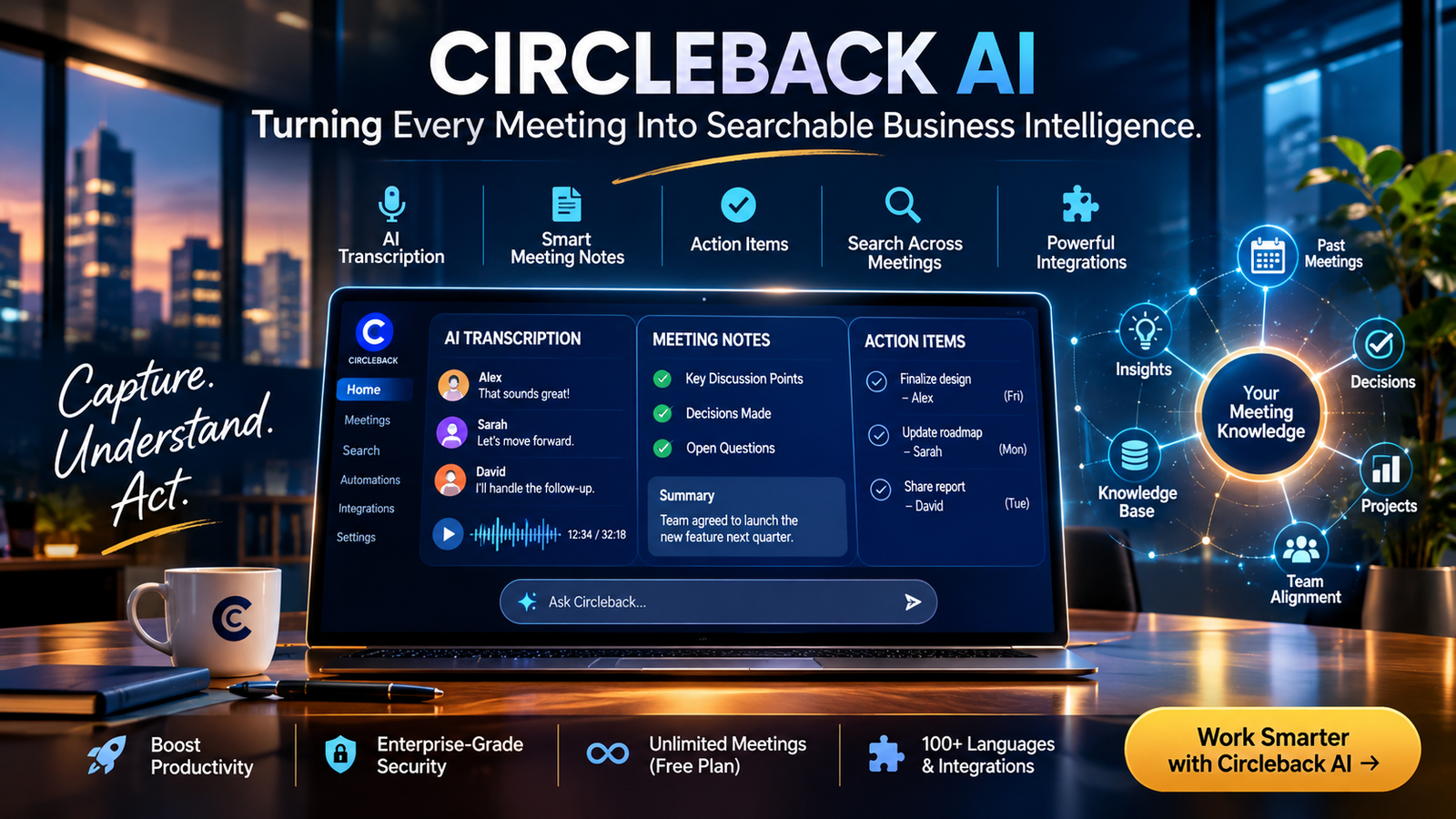
Circleback AI is an AI-powered meeting assistant that records conversations, generates structured meeting notes, identifies action items, and creates searchable transcripts. It helps individuals and teams turn discussions into organized information and automated workflows across supported business applications.
Circleback AI at a Glance
Product overview
Free plan available
Circleback – Download and install on Windows | Microsoft Store
apps.microsoft.com
| Category | Details |
|---|---|
| Product | AI meeting assistant |
| Company | Circleback |
| Founded | 2023 |
| Main purpose | Meeting transcription and productivity |
| Supported languages | 100+ |
| Meeting platforms | Zoom, Google Meet, Microsoft Teams, Webex, others |
| Recording options | Meeting bot and bot-free desktop app |
| Free plan | Yes |
| Paid plans | Pro, Business, Enterprise |
| Main capabilities | Notes, transcripts, action items, search, automations |
Product details based on Circleback’s published information and its August 2026 free-plan announcement.
Key takeaways:
- Circleback automatically converts conversations into organized meeting notes.
- It identifies action items and helps teams track follow-up responsibilities.
- Ask Circleback makes information from previous meetings searchable.
- It supports more than 100 languages and multiple meeting platforms.
- Its free plan offers unlimited meetings but limits accessible meeting history.
- Paid plans unlock additional integrations, automations, administrative controls, and longer-term storage.
What Is Circleback AI?
Circleback AI is a productivity platform designed to make meetings more useful.
Instead of manually writing notes during conversations, users can let Circleback capture discussions and organize the information automatically.
The platform focuses on three connected activities:
- Capture: Record meetings and convert spoken conversations into searchable transcripts.
- Understand: Generate summaries, identify decisions, and extract important action items.
- Act: Share information, update connected applications, and automate repetitive follow-up tasks.
This approach addresses a common workplace problem: important information gets lost between meetings.
A team might discuss a product deadline, assign responsibilities, and agree on several changes. Without proper documentation, participants can forget decisions or misunderstand their responsibilities.
Circleback attempts to close that gap by creating a structured record of each conversation.
Who developed Circleback?
Circleback was founded in 2023 by Ali Haghani and Kevin Jacyna. The company received backing from Y Combinator and raised $2.5 million in 2024, according to TechCrunch.
An interesting business development came in August 2026, when Circleback introduced its free subscription tier. The company said the change would make its product accessible to more users while allowing them to experience its meeting capabilities before upgrading. TechCrunch
How Does Circleback AI Work?
Circleback combines meeting capture, speech recognition, language processing, and workflow automation.
The process is relatively straightforward from a user’s perspective.
Circleback Review 2026 – No-Bot AI Notes
Circleback (@circlebackai) on X
リリース – Circleback
4
1. Connect Your Calendar or Meeting Platform
Users can connect Google Calendar or Microsoft Outlook Calendar to identify upcoming meetings.
Circleback supports popular conferencing platforms, including:
- Zoom
- Google Meet
- Microsoft Teams
- Webex
- Slack huddles
- GoTo
Depending on the setup, its meeting assistant can automatically join scheduled calls.
Users who prefer not to invite a visible meeting bot can use the desktop application for macOS or Windows. AI Notetaker, Automations, and Company Brain+1
2. Record and Transcribe Conversations
During a meeting, Circleback captures spoken conversations and converts them into written transcripts.
Its transcription system supports more than 100 languages and automatically identifies individual speakers.
Speaker identification matters because a transcript becomes more useful when readers can understand who made a statement or accepted a responsibility.
Circleback also supports in-person recordings and imported audio or video files.
3. Generate AI Meeting Notes
After capturing a conversation, Circleback processes the transcript and generates organized notes.
Rather than presenting users with an enormous block of text, it helps structure the information into useful sections.
These can include:
- Main discussion points.
- Important decisions.
- Questions and unresolved issues.
- Follow-up responsibilities.
- Action items.
The objective is to make meeting information easier to understand and revisit.
4. Extract Action Items
Circleback identifies tasks mentioned during conversations and organizes them into actionable items.
For example, imagine a marketing team discussing a campaign launch.
The conversation might produce these responsibilities:
| Action item | Responsible person | Deadline |
|---|---|---|
| Finalize campaign copy | Marketing lead | Friday |
| Review landing page | Design team | Monday |
| Approve advertising budget | Marketing director | Tuesday |
The usefulness of this feature depends on how clearly participants communicate responsibilities and deadlines.
AI-generated task assignments should still be reviewed, especially when conversations contain overlapping responsibilities.
5. Search and Reuse Meeting Information
Circleback also provides a searchable meeting history.
Its Ask Circleback functionality allows users to ask questions about previously recorded conversations.
For example:
- What did we decide about the product launch?
- Which customer requested the reporting feature?
- What deadlines were mentioned last week?
- Who agreed to contact the supplier?
This reduces the need to replay entire recordings or manually search through old transcripts.
Key Features of Circleback AI
Circleback offers more than basic speech-to-text transcription. Its feature set focuses on organizing conversations and connecting meeting information with everyday business activities.
AI-Powered Meeting Notes
The automatic note-taking functionality is central to Circleback.
It converts conversations into organized documentation, helping users understand the important points without reviewing every sentence.
This can be particularly useful for recurring team meetings, client discussions, project reviews, and planning sessions.
Automatic Action Item Detection
Circleback identifies potential tasks and responsibilities from meeting discussions.
This is valuable because meeting summaries alone do not necessarily explain what happens next.
A useful meeting assistant should help teams move from discussion to execution.
However, users should verify ambiguous names, deadlines, and assignments before treating extracted tasks as confirmed commitments.
Ask Circleback: Search Across Meetings
Ask Circleback is one of the more interesting capabilities.
Instead of searching individual transcripts manually, users can ask questions about information distributed across their meeting history.
This makes the platform useful as a searchable knowledge resource.
For example, a sales manager could investigate recurring objections across customer conversations.
A project manager could look for decisions made during previous planning sessions.
The quality of the answers still depends on transcript accuracy, available meeting history, and the context of the original discussions.
Meeting Automations
Circleback can connect meeting information with other business applications.
Its automation capabilities help teams reduce repetitive administrative work.
Depending on the subscription, supported integrations include applications such as:
- Notion
- HubSpot
- Salesforce
- Attio
- Slack
- Linear
- Webhooks
These integrations can help transfer meeting insights into existing business workflows. Circleback+1
Bot-Free Desktop Recording
Some professionals dislike having an additional participant appear in every online meeting.
Circleback offers a desktop recording option for macOS and Windows.
This allows users to capture meetings without inviting the traditional notetaker bot.
An additional advantage is screen context. Circleback says that saved meeting video can provide information from shared slides, dashboards, and documents, making that context searchable alongside meeting notes. AI Notetaker, Automations, and Company Brain
Mobile and Apple Watch Support
Circleback also supports mobile recording and access through its mobile application.
Its Apple Watch support provides another option for capturing in-person conversations.
This extends its usefulness beyond scheduled video conferences.
Users should still consider applicable recording-consent requirements before capturing conversations.
API, MCP, and CLI Access
One particularly important capability deserves attention from technical teams.
Circleback supports an API, a command-line interface (CLI), and the Model Context Protocol (MCP).
MCP provides a standardized way for compatible AI applications to access external information and tools.
Circleback’s MCP server can connect meeting information with applications such as ChatGPT, Claude, Cursor, and other compatible clients.
Depending on granted permissions, connected applications can:
- Search meetings and transcripts.
- Retrieve meeting notes and action items.
- Access relevant calendar and email context.
- Create or update action items.
- Update meeting information and share records.
The MCP connection is available across subscription plans, including Free. Users must authenticate and authorize the requested access. Circleback+1
This feature makes Circleback more than a standalone transcription application. It can also serve as a source of business context for other AI tools.
Benefits of Using Circleback AI
Circleback’s main value comes from reducing the administrative work associated with meetings.
Here are the most practical benefits.
Less Manual Note-Taking
Employees can focus more closely on conversations instead of constantly typing notes.
This can improve participation, particularly during complex discussions that require active listening.
Better Meeting Documentation
Automatically generated notes provide a consistent starting point for documenting discussions.
Teams can revisit previous decisions without relying entirely on individual memory.
Improved Accountability
Action item extraction helps clarify responsibilities and follow-up tasks.
When integrated with existing business applications, meeting outcomes can become part of a broader project management process.
Searchable Organizational Knowledge
A collection of meeting transcripts can become a useful information resource.
Employees can investigate previous discussions, retrieve decisions, and identify recurring issues.
This is especially valuable for businesses with frequent customer calls and cross-functional meetings.
Reduced Administrative Work
Automated summaries, integrations, and follow-up workflows can reduce repetitive tasks.
The greatest benefit is not simply saving time writing notes. It is reducing the effort required to turn discussions into useful business records.
Circleback AI Pricing: Is There a Free Plan?
Circleback introduced a free subscription in August 2026.
Its pricing structure currently includes four main options: Free, Pro, Business, and Enterprise.
The following figures reflect the published pricing page accessed for this article. Confirm the checkout amount and billing frequency before purchasing, as prices and promotions can change. Circleback+1
Circleback subscription plans
Free
$0
For individuals exploring AI meeting assistance.
- Unlimited meetings.
- AI notes and action items.
- Ask Circleback.
- Speaker-labeled transcripts.
- Limited automations.
- 30-day accessible meeting history.
- API and MCP access.
Pro
$15
Per user/month, as displayed on the published pricing page.
- Everything in Free.
- Unlimited meeting history.
- One year of recording storage.
- Advanced integrations.
- Custom AI insights.
- More automation capabilities.
Business
$25
Per user/month, as displayed on the published pricing page.
- Everything in Pro.
- Admin and member roles.
- Unlimited free viewers.
- Custom data retention.
- Two years of recording storage.
- Usage dashboard.
Enterprise
$35
Per user/month, as displayed on the published pricing page; contact sales for confirmation.
- Everything in Business.
- SAML or OIDC single sign-on.
- SCIM provisioning.
- Unlimited recording storage.
- Priority support.
- HIPAA compliance.
Source: Circleback’s official pricing page. Verify annual versus monthly billing and current checkout terms. Circleback
Which Circleback Plan Should You Choose?
Free: Suitable for individuals who want to test meeting transcription, summaries, and basic workflows.
Pro: A reasonable starting point for professionals who need longer meeting history and broader integrations.
Business: Better suited to teams that need administrative controls, custom retention, and collaboration management.
Enterprise: Designed for organizations requiring centralized identity management, extended storage, and additional compliance capabilities.
An Important Free-Plan Limitation
Unlimited meetings do not necessarily mean unlimited accessible history.
Circleback’s Free plan limits accessible meeting history to 30 days. Its pricing information separately lists one year of default recording storage.
In other words, the distinction between meeting access and recording retention matters. Users should not assume that an older meeting remains fully accessible simply because its recording has not yet reached its storage expiration date. Circleback+2
Circleback AI Privacy and Security: What Should Users Know?
Meeting recordings can contain sensitive business information, customer details, internal discussions, and confidential decisions.
Consequently, privacy should be a major consideration when evaluating any AI meeting assistant.
Circleback publishes information about its security practices, data processing, and administrative controls.
Does Circleback Use Customer Data to Train AI Models?
According to Circleback, it does not use customer data to train AI models.
This is an important consideration for organizations that regularly process confidential meeting transcripts.
However, users should distinguish model training from other forms of data processing. A company can avoid training models on customer information while still processing and storing that information to provide its service. AI Notetaker, Automations, and Company Brain+1
Is Circleback SOC 2 Certified?
Circleback reports SOC 2 Type II certification and encryption of data at rest and in transit.
Its security documentation also identifies its EU-U.S. Data Privacy Framework certification and an externally conducted penetration test.
These are useful indicators when evaluating a software vendor, but they do not eliminate the need for an independent security review.
Importantly, SOC 2 Type II does not mean Zero Data Retention (ZDR).
The certification addresses controls and operational practices over an audit period. It does not automatically establish that a provider immediately deletes all customer data after processing. Circleback
Where Does Circleback Store Meeting Data?
One limitation deserves particular attention.
Circleback states that meeting data is processed in the United States. It does not currently offer an EU hosting option.
Organizations with strict European data residency requirements should consider this before adopting the platform.
Its Enterprise plan also offers HIPAA support with a Business Associate Agreement (BAA), alongside SSO and SCIM provisioning. Circleback+1
Privacy Checklist Before Using Circleback
Before recording sensitive conversations, organizations should review:
- Whether meeting participants have been informed about recording.
- Which employees can access meeting recordings and transcripts.
- How meeting folders and sharing permissions are configured.
- Whether the default retention period meets company requirements.
- Whether recordings need to be disabled while keeping written notes.
- Whether the organization’s data residency requirements are satisfied.
- Whether an appropriate agreement is in place for regulated information.
Editorial recommendation: Do not evaluate meeting assistants using security badges alone. Examine actual data handling, retention, access permissions, and contractual commitments.
Circleback AI Limitations: What Should You Consider?
Circleback offers useful functionality, but it is not a complete solution for every meeting-related workflow.
Understanding its limitations helps users make better purchasing decisions.
AI Transcription Can Still Make Mistakes
Automatic transcription is not perfect.
Background noise, overlapping speakers, unfamiliar terminology, and poor microphone quality can affect recognition.
Even when a platform supports more than 100 languages, that number does not guarantee identical accuracy across every language, dialect, or accent.
Users should review important transcripts before distributing them as official records.
AI-Generated Action Items Need Human Review
A conversation can contain suggestions, hypothetical deadlines, and tentative commitments.
AI systems may interpret these statements as confirmed responsibilities.
For example, someone saying, “We could finish this by Friday” is not necessarily making a formal commitment.
Teams should review extracted tasks before sending them into project management systems.
Recording Policies Can Affect Adoption
Some participants are uncomfortable with meeting bots.
Although Circleback provides bot-free desktop recording, organizations still need appropriate recording permissions and transparent internal policies.
The absence of a visible bot should not be treated as permission to record without informing participants.
Storage and History Depend on the Plan
The Free plan has a 30-day accessible history limit.
Long-term access, storage, and administrative retention controls vary by subscription.
Companies should calculate the actual storage requirements of their teams before choosing a plan.
Integrations May Require Workflow Configuration
Connecting an application does not automatically create a complete business process.
Teams may need to configure automation rules, access permissions, and destination fields.
Poorly configured workflows can send information to the wrong channels or create duplicate tasks.
AI Summaries Are Not Official Meeting Records
An AI-generated summary should be treated as an editable working document.
It should not automatically replace approved minutes, signed agreements, legal documentation, or formal project records.
Human review remains important when a meeting involves financial decisions, contracts, compliance, or important customer commitments.
Circleback AI Alternatives: Which Tools Are Worth Comparing?
The AI meeting assistant market includes several established platforms.
Circleback competes with products that offer similar transcription and summarization capabilities, but their approaches differ.
Three relevant alternatives are Fireflies.ai, Fathom, and Granola.
Fireflies.ai – AI Meeting Intelligence & Transcription Platform – Daidu.ai
1. Fireflies.ai
Fireflies focuses on meeting transcription, searchable conversations, AI summaries, and conversation intelligence.
It offers integrations, meeting analytics, and additional AI capabilities for sales and business teams.
Its free plan has unlimited transcription subject to storage and AI-feature limits. Its paid Pro plan is listed at $10 per seat monthly with annual billing. Fireflies.ai+1
Official website: Fireflies.ai
Fathom Review 2025: Features, Pricing & Alternatives | Productive with Chris
2. Fathom
Fathom provides meeting recordings, transcripts, summaries, and AI-powered follow-up features.
Its free individual plan offers unlimited recordings and transcripts, while advanced summaries and additional AI functionality have plan restrictions.
It is worth comparing for individuals and small teams looking for a straightforward meeting assistant. help.fathom.video
Official website: Fathom
Best Granola Alternatives in 2026
3. Granola
Granola takes a notes-focused approach to meeting assistance.
Its features include AI-generated notes, meeting chat, shared folders, and integrations.
Its published pricing includes a free Basic tier, a $14-per-user monthly Business plan, and a $35-per-user monthly Enterprise plan. Granola+1
Official website: Granola
Circleback AI vs. Competitors
| Platform | Target user | Key strength | Pricing transparency | Main consideration |
|---|---|---|---|---|
| Circleback | Professionals and teams | Search, notes, MCP, automations | Public plans | History and retention limits |
| Fireflies.ai | Sales and business teams | Conversation intelligence | Public plans | Storage and AI-credit limits |
| Fathom | Individuals and small teams | Simple recording and summaries | Public plans | Advanced feature restrictions |
| Granola | Professionals and knowledge workers | Notes-focused workflow | Public plans | Advanced features require paid plans |
Comparison reflects published product information available in November 2026. Features and prices may change.
Circleback vs. Fireflies.ai
The distinction largely comes down to workflow priorities.
Circleback combines meeting notes with cross-meeting search, automations, and access through MCP.
Fireflies offers a broader conversation intelligence feature set, including topic tracking, analytics, and specialized AI tools.
Choose Circleback when meeting knowledge retrieval and external AI connectivity matter.
Consider Fireflies when meeting analytics and conversation intelligence are important to your workflow.
Circleback vs. Fathom
Fathom is worth considering if your primary goal is recording meetings and generating useful summaries.
Circleback places additional emphasis on searchable meeting history, workflow automation, and its API and MCP ecosystem.
The decision depends on whether you need a straightforward notetaker or a more connected meeting information system.
Circleback vs. Granola
Granola focuses on an AI-assisted note-taking experience.
Circleback places more emphasis on connecting meeting information with external applications and automating follow-up activities.
Professionals who prioritize personal notes may prefer comparing Granola first. Teams that need structured workflows should examine Circleback’s integrations and administrative capabilities.
What Makes Circleback AI Different From Traditional AI Notetakers?
Many AI meeting assistants follow a similar basic process:
Record a conversation, generate a transcript, and create a summary.
Circleback extends that process by connecting meeting information with search, automations, and external AI applications.
Its MCP integration is particularly relevant.
From Meeting Transcripts to Reusable Business Context
Consider a software company conducting weekly product meetings.
During these meetings, employees discuss:
- Customer feedback.
- Technical problems.
- Feature requests.
- Development deadlines.
- Product priorities.
Without a centralized information system, these details become scattered across documents, chat applications, and individual notes.
Circleback can organize the meeting information and make it accessible through search and compatible AI applications.
A developer could then ask a connected AI assistant to identify recurring customer complaints from previous discussions.
A product manager could retrieve decisions related to a particular feature.
A sales manager could investigate objections mentioned during customer calls.
This creates a more connected approach to organizational knowledge.
However, Circleback should not be confused with a complete enterprise knowledge management platform. Its usefulness depends on the quality, coverage, permissions, and organization of the underlying meeting data.
Who Should Use Circleback AI?
Circleback is most relevant to people and organizations that regularly discuss work through meetings.
Remote Teams
Remote employees often participate in meetings across different time zones.
Automatically generated notes help absent team members understand discussions and review decisions.
Project Managers
Project managers can use meeting documentation and action item extraction to maintain visibility into project responsibilities.
This is particularly useful for recurring planning sessions and progress reviews.
Sales Professionals
Sales teams can use searchable conversations to revisit customer requirements, objections, and follow-up commitments.
Integrations with supported CRM platforms can help connect meeting information with existing customer workflows.
Founders and Business Owners
Founders frequently move between investor discussions, customer calls, hiring interviews, and internal planning.
A searchable meeting history can make important information easier to retrieve.
Customer Success Teams
Customer success professionals can use meeting notes to maintain context across customer interactions.
This can help identify unresolved issues and recurring customer requests.
Who Might Not Need Circleback?
Circleback may be unnecessary for people who attend very few meetings or prefer writing notes manually.
It may also be unsuitable for organizations with strict data residency requirements that cannot accommodate US-based processing.
Businesses that require extensive custom integrations should evaluate the API and automation capabilities before committing.
Latest Circleback AI Developments in 2026
Several developments make Circleback particularly interesting in the current AI productivity market.
August 2026: Introduction of the Free Plan
Circleback introduced a free subscription on August 31, 2026.
The announcement followed increasing competition in the AI meeting assistant market. The new plan provides unlimited meeting transcription while limiting accessible history to 30 days.
This change lowered the entry barrier for individuals interested in testing the platform. TechCrunch
January 2026: MCP Integration
Circleback introduced its MCP integration in January 2026.
This development allows compatible AI applications to access meeting information without requiring users to manually copy and paste transcripts.
It also expands the potential role of meeting assistants from standalone productivity tools to connected AI workflows. Circleback+1
October 2026: Expanded Security Documentation
Circleback published additional security and privacy information on October 16, 2026.
The documentation addresses SOC 2 Type II, data processing locations, retention policies, HIPAA support, and access controls.
This is particularly relevant for organizations evaluating AI tools for internal business conversations. Circleback
Frequently Asked Questions About Circleback AI
1. What is Circleback AI used for?
Circleback AI is used to record meetings, generate transcripts, create AI-powered summaries, identify action items, and organize conversations. It also provides searchable meeting history and integrations that help teams automate follow-up workflows.
2. Is Circleback AI free to use?
Yes. Circleback offers a free plan with unlimited meetings, AI-generated notes, action items, and Ask Circleback. However, accessible meeting history is limited to 30 days. Paid subscriptions provide additional storage, integrations, and administrative features.
3. Does Circleback AI work with Zoom and Google Meet?
Yes. Circleback supports Zoom, Google Meet, Microsoft Teams, Webex, Slack huddles, and GoTo. Users can connect their calendars for automatic meeting detection or use the desktop application for bot-free recording.
4. Is Circleback AI safe for confidential meetings?
Circleback reports SOC 2 Type II certification, encryption at rest and in transit, and that customer data is not used to train AI models. However, meeting data is processed in the United States. Organizations should review its retention policies, access controls, contractual terms, and data residency requirements before recording confidential conversations.
5. What are the best alternatives to Circleback AI?
Popular alternatives include Fireflies.ai, Fathom, and Granola. Fireflies focuses on transcription and conversation intelligence, Fathom emphasizes recording and meeting summaries, while Granola provides an AI-assisted note-taking experience. The right choice depends on integrations, pricing, privacy requirements, and workflow needs.
Conclusion
Circleback AI addresses a practical problem in modern workplaces: turning conversations into useful, organized information.
Its combination of automated transcription, structured meeting notes, action item detection, searchable history, and workflow integrations makes it relevant to professionals and teams with frequent meetings.
Its MCP integration also creates opportunities to connect meeting knowledge with other AI applications.
However, potential users should look beyond the feature list. Recording policies, accessible history, data retention, US-based processing, and subscription requirements deserve careful consideration.
For individuals, the free plan provides a starting point. For businesses, the Pro, Business, and Enterprise plans offer additional capabilities depending on organizational requirements.
Ultimately, Circleback is worth evaluating if your team wants to spend less time documenting meetings and more time acting on the information they produce.