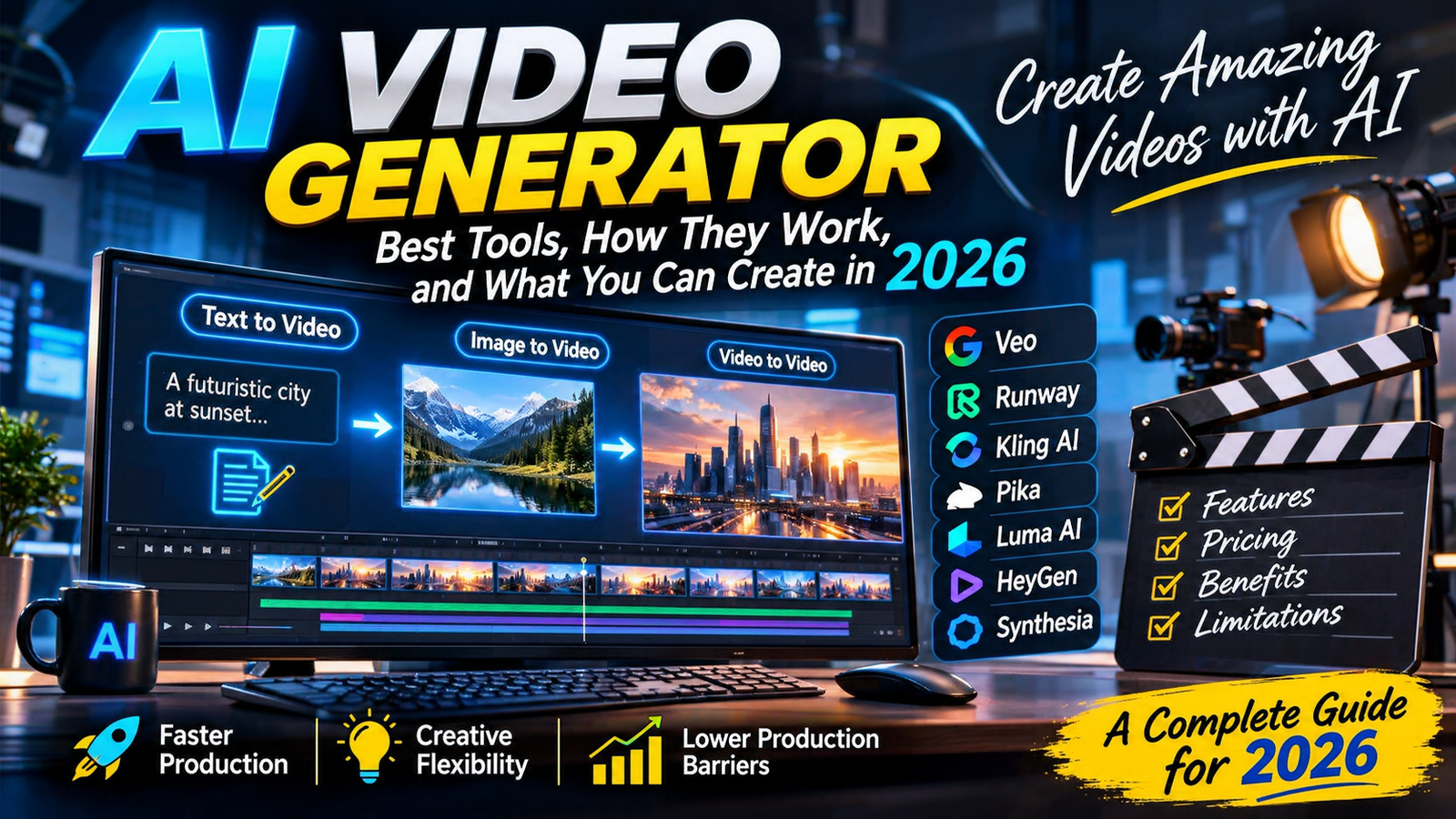
An AI video generator is a tool that uses artificial intelligence to create videos from text prompts, images, and other visual references. It helps creators, businesses, and marketers produce cinematic clips, advertisements, animations, and presentations without relying entirely on traditional filming.
Video production is changing rapidly as generative AI becomes more capable. Creators can now turn written descriptions and static images into moving scenes.
A simple prompt can produce a cinematic landscape, an animated product demonstration, or a realistic environmental scene. Some advanced platforms can also generate dialogue, sound effects, and background audio.
However, choosing an AI video generator is not as simple as selecting the platform with the most impressive demonstrations. Different tools offer different levels of motion control, visual consistency, editing flexibility, and pricing.
Some focus on cinematic filmmaking. Others specialize in social media content or digital presenters.
This guide examines the technology, compares leading platforms, explains their practical applications, and highlights the limitations that matter before choosing a tool.
AI Video Generators at a Glance
- Technology: Generative AI, diffusion models, transformer-based architectures, and machine learning.
- Input methods: Text prompts, photographs, reference images, and existing video.
- Main outputs: Cinematic footage, animations, advertisements, product videos, and presenter-led content.
- Leading platforms: Google Veo, Runway, Kling AI, Pika, Luma AI, HeyGen, and Synthesia.
- Primary audiences: Filmmakers, marketers, content creators, educators, and businesses.
- Main challenges: Generation costs, motion inconsistencies, limited creative control, and commercial licensing.
What Is an AI Video Generator?
An AI video generator is software that creates or transforms video content using trained artificial intelligence models.
Traditional video production usually requires cameras, recording equipment, actors, locations, and editing software. Generative AI can reduce the need for some of these resources.
Users provide instructions through text prompts, images, or video references. The model interprets the input and generates visual sequences based on its learned patterns.
For example, someone might enter:
“A cinematic aerial view of a futuristic coastal city at sunset. Glass skyscrapers reflect golden sunlight while vehicles move through elevated highways. The camera slowly approaches the city.”
The AI system attempts to generate footage matching that description.
Depending on the platform, users can create:
- Realistic environments and cinematic scenes.
- Animated characters and visual effects.
- Product advertisements.
- Educational animations.
- Social media videos.
- Digital presenters.
- Short films and creative storytelling sequences.
The important distinction is that an AI video generator does more than edit existing footage. It can create entirely new visual content.
AI Video Generator vs. Traditional Video Editor
These tools have different purposes, although modern production workflows often combine them.
| Comparison | AI Video Generator | Traditional Video Editor |
|---|---|---|
| Primary function | Creates or transforms footage | Edits existing media |
| Input | Text, images, video references | Recorded video, images, audio |
| Scene creation | Generates new scenes | Arranges existing footage |
| Motion | AI-generated | Manually edited or animated |
| Creative control | Depends on model capabilities | Detailed manual control |
| Examples | Veo, Runway, Kling | Premiere Pro, DaVinci Resolve |
An AI video generator is useful for creating footage. Traditional editing software provides more precise control over the final production.
Using both can produce a more reliable professional workflow.
How Does an AI Video Generator Work?
AI video generation combines several computational processes. The exact architecture varies between providers, but the general workflow follows similar stages.
1. Input and Prompt Understanding
The process begins when a user enters a description or uploads visual material.
The system analyzes important elements, including:
- Main subjects and objects.
- Background and environment.
- Actions and movements.
- Camera position and direction.
- Lighting and visual style.
- Relationships between different elements.
A prompt describing a person walking through a rainy street contains information about the subject, action, location, and weather.
The model uses these instructions to guide the generation process.
2. Generative Model Processing
The platform processes the input through a trained generative model.
Many modern video systems use diffusion-based methods, transformer architectures, or combinations of different approaches.
Diffusion models learn patterns from training data. They can generate visual content by progressively transforming noise into structured imagery.
Video generation adds another challenge: the system must maintain relationships between frames.
It needs to produce movement that appears connected rather than a collection of unrelated images.
3. Motion and Temporal Consistency
A convincing video requires more than visually attractive frames.
The model must understand how subjects move, how objects interact, and how the camera changes position.
This is known as temporal consistency.
For example, a person walking across a room should maintain reasonably consistent clothing, facial features, and body proportions.
The background should also remain visually stable unless the camera or scene changes.
These requirements make video generation more complicated than image generation.
4. Video Rendering and Output
After generating the visual sequence, the platform converts it into a playable video.
Depending on the model, users may be able to select:
- Video duration.
- Aspect ratio.
- Output resolution.
- Frame rate.
- Audio generation.
- Reference images.
- Camera movement.
Some platforms also provide upscaling, scene extension, and additional editing features.
The final video can then be downloaded or transferred into a separate editing application.
Main Types of AI Video Generators
The term AI video generator covers several different technologies. Understanding these categories helps you choose a tool that matches your project.
1. Text-to-Video Generators
Text-to-video technology converts written prompts into video footage.
Users describe a scene, and the AI model generates a sequence based on the instructions.
For example, a creator can describe a futuristic city, a mountain landscape, or a product advertisement.
Common applications:
- Cinematic storytelling.
- Social media videos.
- Advertising concepts.
- Creative experimentation.
- Visual demonstrations.
Google Veo, Runway, and Kling offer text-to-video workflows.
2. Image-to-Video Generators
Image-to-video tools animate existing pictures.
Users upload a photograph, illustration, or product image. They then describe how the subject or camera should move.
For example, a photograph of a mountain landscape can become a moving scene with drifting clouds and flowing water.
This approach is useful when the creator wants to guide the initial composition rather than generate everything from scratch.
3. Video-to-Video Generators
Video-to-video systems transform existing footage with AI.
Depending on the platform, users can modify environments, visual styles, objects, or other elements while retaining parts of the original movement.
Typical applications include:
- Visual effects.
- Scene transformations.
- Background changes.
- Style modifications.
- Creative post-production.
Luma’s Modify workflow is one example of this category. lumalabs.ai+1
4. AI Avatar and Presenter Generators
Avatar-based tools create videos featuring digital presenters.
Users provide a script, choose an avatar, and select a voice. The platform then produces a presenter-style video.
These tools focus on communication rather than unrestricted cinematic scene generation.
Common applications include:
- Employee training.
- Product demonstrations.
- Educational lessons.
- Corporate presentations.
- Multilingual communication.
HeyGen and Synthesia are examples of avatar-focused platforms.
Best AI Video Generators in 2026
Different platforms serve different production needs. The following comparison focuses on their primary strengths rather than presenting a universal ranking.
Research and platform information reviewed on November 26, 2026. Features, model access, and subscription terms can change.
| AI Video Tool | Primary Purpose | Main Strength | Pricing Model |
|---|---|---|---|
| Google Veo | Cinematic video | Audio and visual generation | Access-dependent |
| Runway | Creative production | Generation and editing workflows | Subscription and credits |
| Kling AI | Generative video | Scene and motion generation | Plan and credit-dependent |
| Pika | Creative video | Image animation and video effects | Plan-dependent |
| Luma AI | Cinematic generation | Video generation and modification | Subscription and credits |
| HeyGen | AI presenters | Avatar-based videos | Subscription |
| Synthesia | Business videos | Training and presentations | Subscription |
1. Google Veo
Google Veo 3.1 is Google’s generative video model for creating realistic and expressive video content.
It supports text-to-video, image-to-video, and audio generation. Its reference-image workflows help guide the appearance of subjects and environments.
Notable capabilities include:
- Text-based video generation.
- Image-based video creation.
- Reference-image guidance.
- First-frame and last-frame generation.
- Native audio generation.
- Camera controls in supported workflows.
- Scene extension in supported products.
Google also describes 1080p and 4K output capabilities for supported workflows. However, resolution and feature availability depend on the model and product interface. Google Cloud Documentation+2
Best for: Filmmakers, advertisers, and creators who want cinematic visuals and integrated audio.
Official website: Google Veo
2. Runway
Runway combines generative video models with creative production tools.
Its Gen-4.5 model supports text-to-video and image-to-video generation. Users can describe detailed scenes, camera movements, and sequences of actions.
Its main strengths include:
- Text-to-video generation.
- Image-to-video generation.
- Detailed camera instructions.
- Creative video workflows.
- Iterative prompt refinement.
- Multiple production tools.
An important technical detail is that Runway Gen-4.5 currently documents 720p output, 24 or 25 FPS, and generation durations of 2 to 10 seconds. Its published generation rate is 12 credits per second. Runway+1
Best for: Filmmakers, designers, creative professionals, and marketing teams.
Official website: Runway
3. Kling AI
Kling AI is a generative video platform focused on creating visual content from text and reference images.
Its video-generation workspace includes controls for reference elements, keyframes, aspect ratios, and multi-shot workflows.
The platform supports different output settings depending on the selected model and generation mode.
Potential applications include:
- Cinematic scenes.
- Character animation.
- Product advertisements.
- Short-form storytelling.
- Creative video experiments.
Its practical value depends on motion quality, prompt adherence, and how well the model handles complex scenes.
Best for: Creators and marketers experimenting with realistic AI-generated footage.
Official website: Kling AI. app.klingai.com
4. Pika
Pika provides tools for creating and transforming short video content.
Its workflows include text-to-video, image-to-video, and keyframe-based generation.
The platform is useful for creators who want to animate still images or experiment with creative visual effects.
Pika’s Video Studio also supports reference-guided generation, with available controls depending on the selected model. Pika+1
Best for: Social media creators, visual artists, and users exploring creative video effects.
Official website: Pika
5. Luma AI
Luma AI develops generative models for visual content creation.
Its Dream Machine platform supports text-to-video, image-to-video, and video modification workflows.
Ray3.14, announced in January 2026, introduced native 1080p generation and improvements to prompt adherence and visual consistency. Luma also documents video modification and different generation durations for supported workflows. Luma+1
Its tools can help creators develop visual concepts, transform footage, and experiment with cinematic scenes.
Best for: Visual artists, creative professionals, and filmmakers.
Official website: Luma AI
6. HeyGen
HeyGen focuses on creating presenter-led videos with digital avatars.
Users can provide scripts and generate videos featuring virtual presenters.
Its workflows are useful for businesses that need repeatable communication content without recording every presentation manually.
Common applications include:
- Product explainers.
- Marketing presentations.
- Employee training.
- Educational videos.
- Multilingual content.
Best for: Businesses, educators, marketers, and professional communicators.
Official website: HeyGen
7. Synthesia
Synthesia is designed for structured business video production.
Its platform helps organizations create training videos, instructional presentations, and internal communications using digital avatars.
Synthesia’s Express-2 technology is designed to support expressive avatars, voice generation, and synchronized gestures. synthesia.io
Unlike cinematic video models, its main purpose is to communicate information through virtual presenters.
Best for: HR departments, corporate training teams, educators, and enterprise organizations.
Official website: Synthesia
Important Update: Is OpenAI Sora Still Available?
OpenAI’s Sora was one of the most recognized products in AI video generation.
However, its availability has changed.
According to OpenAI’s discontinuation guidance:
- The Sora web and app experiences ended on April 26, 2026.
- The Sora API ended on September 24, 2026.
Consequently, Sora should not be presented as an actively available video-generation service in a current tool comparison.
OpenAI also provides guidance for exporting previously generated content. OpenAI Help Center
This development highlights an important risk in the AI industry: products and models can change or disappear. Businesses should consider alternative providers before depending on a single platform.
Key Features to Consider Before Choosing an AI Video Generator
A platform’s advertised features do not always reflect its practical performance. The right choice depends on how much control you need over the finished video.
1. Text-to-Video and Image-to-Video
These are essential capabilities for most creators.
Text-to-video allows users to generate scenes from written descriptions. Image-to-video animates existing visual material.
If you create advertisements or branded content, image references can help guide the visual direction.
Check whether the platform supports both workflows or specializes in only one.
2. Video Quality and Resolution
Resolution determines the number of pixels in the final video. However, it does not guarantee realistic movement or consistent details.
Evaluate these factors together:
- Output resolution.
- Motion smoothness.
- Lighting consistency.
- Character appearance.
- Object details.
- Visual artifacts.
- Frame-to-frame stability.
A clean 720p clip may be more useful than a distorted 4K generation.
3. Character and Object Consistency
Character consistency matters when a project contains multiple scenes.
A character should retain recognizable facial features, clothing, and proportions.
Reference images and character-guidance features can help maintain these details.
However, not every model supports persistent character references. Some features are also limited to specific generation modes.
Check the actual workflow before choosing a tool for multi-scene storytelling.
4. AI-Generated Audio
Some modern video models generate sound alongside visuals.
This can include:
- Dialogue.
- Environmental sounds.
- Background audio.
- Sound effects.
- Character speech.
For example, Google Veo 3.1 supports sound generation in documented workflows. Google Cloud Documentation
Other platforms may require separate voice-generation or audio-editing tools.
Always check synchronization, speech quality, and audio licensing before publishing.
5. Camera and Motion Controls
Camera controls give creators more influence over the final composition.
Useful options include:
- Tracking shots.
- Camera rotation.
- Zoom movements.
- First and last frames.
- Motion references.
- Scene transitions.
- Object movement.
These features can make generated footage more intentional.
They are especially useful for product advertising and cinematic storytelling.
6. Export Formats and Aspect Ratios
Different publishing platforms require different video dimensions.
| Format | Aspect Ratio | Common Use |
|---|---|---|
| Landscape | 16:9 | YouTube and websites |
| Vertical | 9:16 | TikTok, Reels, Shorts |
| Square | 1:1 | Social media posts |
| Portrait | 4:5 | Instagram feed |
| Ultrawide | 21:9 | Cinematic content |
Check whether the platform supports your required dimensions natively.
Cropping a landscape video into a vertical format can remove important visual elements.
Practical Applications of AI Video Generators
AI video generation is becoming useful across marketing, entertainment, education, and business communication.
1. Digital Marketing and Advertising
Marketing teams can use AI video generators to develop promotional content and advertising concepts.
For example, an online retailer could create a product scene showing an item in different environments.
This can reduce the need for multiple filming locations during the concept-development stage.
Common applications include:
- Product advertisements.
- Brand storytelling.
- Promotional campaigns.
- Social media videos.
- Visual campaign experiments.
However, generated product footage must accurately represent the real product.
2. Social Media Content Creation
Short-form video platforms have created demand for frequent visual content.
AI tools help creators develop clips for YouTube Shorts, TikTok, and Instagram Reels.
They can animate photographs, create backgrounds, generate cinematic scenes, and experiment with visual effects.
This is particularly useful for creators who do not have access to professional recording equipment.
3. Education and Online Learning
Educators can use AI-generated visuals to explain complicated subjects.
For example, a science teacher could create an animation illustrating the solar system or a biological process.
Businesses can also develop onboarding materials and software tutorials.
The generated visuals should support accurate information rather than replace proper research and explanation.
4. Film and Entertainment Production
Filmmakers can use generative video during pre-production and visual development.
It can help them:
- Visualize scenes.
- Explore camera angles.
- Develop concept footage.
- Experiment with visual styles.
- Create temporary backgrounds.
- Produce experimental short films.
AI-generated footage can support filmmaking, but storytelling, direction, and editing still require human judgment.
5. E-Commerce and Product Demonstrations
Online retailers can use AI video tools to develop promotional visuals.
A furniture company, for example, could explore how a sofa appears in different interior environments.
This makes concept development more flexible.
However, businesses should avoid generating misleading demonstrations or changing important product characteristics.
6. Corporate Training and Communication
Companies can use AI avatar platforms to produce instructional videos.
Digital presenters can explain procedures, introduce products, and deliver training material.
This approach can help organizations maintain consistent presentations across different departments and languages.
Benefits of Using an AI Video Generator
AI video generation offers practical advantages, particularly during the early stages of video production.
Faster Creative Production
Traditional production involves planning, recording, and editing.
AI tools can generate initial footage from a written prompt or reference image.
This makes it easier to explore creative concepts without organizing a complete filming setup.
Lower Production Barriers
Professional cameras, studios, actors, and locations can require significant investment.
AI tools reduce the need for some of these resources.
However, subscriptions, generation credits, editing software, and professional review still create costs.
Greater Creative Flexibility
Creators can experiment with different:
- Visual styles.
- Camera movements.
- Environments.
- Lighting conditions.
- Scene compositions.
- Animation concepts.
They can generate several versions of a scene and compare the results.
Easier Content Adaptation
A creative concept can be adapted for different publishing formats.
For example, a marketing team could develop landscape footage for YouTube and vertical clips for social media.
The available options depend on the platform’s generation and editing capabilities.
Accessibility for Beginners
Many AI video generators use simple interfaces.
Users can describe a scene without learning advanced animation or filmmaking software.
However, creating polished content still requires clear instructions and careful editing.
Limitations of AI Video Generation
AI video technology has improved, but it still has important weaknesses.
Understanding these limitations helps users choose realistic workflows.
1. Inconsistent Motion
AI models can struggle with complex physical interactions.
Examples include:
- Detailed hand movements.
- Multiple characters interacting.
- Objects changing position.
- Fast sports movements.
- Complicated physical actions.
A clip may look convincing initially but reveal visual errors during closer inspection.
2. Character and Scene Inconsistency
A character may look different across separate generations.
Facial features, clothing, and body proportions can change.
Reference images can help, but they do not guarantee perfect consistency.
This remains an important consideration for multi-scene projects.
3. Limited Creative Control
A text prompt cannot always communicate every filmmaking instruction.
The model might misunderstand the camera angle, movement direction, or order of events.
Creators may need several attempts to achieve the desired result.
4. Generation Costs
AI video generation requires substantial computing resources.
Many providers therefore use credit systems or paid subscriptions.
A single approved clip may require several attempts.
This means the actual production cost can exceed the advertised cost of one generation.
5. Copyright and Licensing Concerns
AI-generated content raises questions about training data, output ownership, reference images, and commercial usage.
A provider’s permission to use generated content does not automatically grant rights to every uploaded image, soundtrack, or recognizable likeness.
Creators should review the applicable terms before publishing commercial work.
6. Deepfakes and Misleading Videos
Realistic synthetic videos can create risks involving impersonation and misinformation.
Businesses and creators should avoid unauthorized likeness use and misleading demonstrations.
They should also follow applicable disclosure requirements when publishing synthetic media.
AI Video Generator Pricing: How Much Does It Cost?
AI video generator pricing depends on the provider, selected model, output quality, and subscription.
There is no universal pricing structure.
Some platforms offer free access with restrictions. Others use monthly subscriptions, generation credits, or API-based billing.
Common Pricing Models
| Pricing Model | How It Works | Suitable For |
|---|---|---|
| Free access | Limited generations or trial credits | Beginners |
| Credit-based | Credits are deducted per generation | Regular creators |
| Monthly subscription | Recurring payment for included usage | Production teams |
| API pricing | Charges depend on model and usage | Developers |
| Enterprise plans | Customized agreements and access | Larger organizations |
Understanding Credit Consumption
Credit-based pricing requires particular attention.
For example, Runway documents a rate of 12 credits per second for Gen-4.5. A five-second generation therefore uses 60 credits, while a ten-second generation uses 120 credits. Runway+1
That calculation represents generation usage, not the complete cost of producing an approved video.
Multiple attempts, additional editing, and higher-quality exports may increase the total.
Hidden Costs to Check Before Subscribing
1. Generation limits: Check how many videos your subscription actually supports.
2. Failed generations: Determine whether unsuccessful attempts consume credits.
3. Credit expiration: Check whether unused credits roll over or expire.
4. Resolution upgrades: Some export options may require additional credits.
5. Watermarks: Confirm whether your selected plan includes watermark-free downloads.
6. Commercial rights: Verify whether your subscription permits business and advertising use.
7. API usage: Developers should calculate the cost of repeated generations.
8. Post-production: Include the cost of editing, audio, subtitles, and human review.
The most useful comparison is the cost per approved video, not simply the monthly subscription price.
Privacy, Security, and Commercial Usage
AI video generators may process uploaded images, videos, audio, prompts, and other creative assets.
These materials can contain confidential business information or identifiable individuals.
Before uploading sensitive content, review the provider’s policies.
Important questions include:
- Does the provider use uploaded content for model training?
- How long does it retain prompts and generated videos?
- Can users delete uploaded material?
- Who can access stored assets?
- Are enterprise data agreements available?
- Do API and consumer products follow different data policies?
SOC 2 vs. Zero Data Retention
These terms describe different aspects of data handling.
SOC 2 is an independent assurance framework used to evaluate an organization’s controls related to security, availability, confidentiality, and other trust-service criteria.
Zero Data Retention (ZDR) refers to a specific data-handling arrangement in which covered customer data is not retained after processing, subject to the agreement’s scope and exceptions.
A SOC 2 report does not automatically mean that a provider offers ZDR.
Businesses should examine the actual data-processing agreement rather than relying on general security statements.
Can AI-Generated Videos Be Used Commercially?
Commercial use depends on the provider’s terms, subscription plan, input rights, and applicable laws.
Before using generated footage in advertising or client projects:
- Review the provider’s commercial-use policy.
- Use images and music you have permission to use.
- Obtain appropriate consent for recognizable individuals.
- Check trademarks and copyrighted material.
- Follow applicable synthetic-media disclosure rules.
For important commercial projects, legal review may also be appropriate.
How to Create a Video Using an AI Video Generator
Most AI video platforms follow a straightforward creation process.
Step 1: Choose the Right Platform
Start by identifying the type of content you want to produce.
- Cinematic footage: Evaluate Veo, Runway, or Kling.
- Creative video effects: Explore Pika.
- Video modification: Consider Luma.
- Digital presenters: Compare HeyGen and Synthesia.
Choose a platform based on the final output rather than popularity.
Step 2: Write a Clear Video Prompt
A useful prompt explains the subject, environment, movement, and visual style.
For example:
“Create a cinematic 16:9 video of a luxury electric vehicle driving along a coastal highway at sunset. Show realistic reflections, natural lighting, and a smooth tracking camera movement. Maintain consistent vehicle proportions and detailed surroundings.”
Avoid conflicting instructions.
Step 3: Configure the Generation Settings
Select the available options for:
- Aspect ratio.
- Resolution.
- Duration.
- Model version.
- Reference images.
- Audio generation.
The available settings vary between platforms.
Step 4: Generate and Review the Footage
Generate the first version and examine the result.
Check whether the model followed your instructions.
Pay particular attention to distorted objects, inconsistent characters, and unnatural movements.
Step 5: Refine the Prompt
If the result is incorrect, identify the specific problem.
For example, clarify camera movement or simplify an action that the model cannot reproduce reliably.
Avoid changing every instruction when only one element needs improvement.
Step 6: Edit and Export
Arrange your generated clips in a video editor.
Add subtitles, music, voiceovers, and transitions where necessary.
Finally, export the video in the format required by your publishing platform.
How to Write Better AI Video Prompts
Prompt quality affects how closely a generated video matches your intended scene.
A useful prompt should communicate visual instructions clearly.
Include these five elements:
- Subject: What should appear?
- Environment: Where does the scene happen?
- Action: What should the subject do?
- Camera: How should the camera move?
- Visual style: What should the footage look like?
Weak Prompt Example
“Create a video of a futuristic city.”
This description leaves most creative decisions to the model.
Improved Prompt Example
“Create a cinematic aerial shot of a futuristic coastal city at blue hour. Show illuminated glass skyscrapers, moving traffic, and realistic reflections across the water. Use a slow forward camera movement, atmospheric haze, detailed architecture, and photorealistic lighting.”
The improved prompt gives the model a clearer visual direction.
Google’s own prompting guidance also emphasizes cinematography, subject, action, context, and style as useful elements of a video prompt. Google Cloud Blog
Remember that longer prompts are not automatically better. Clear instructions are more useful than unnecessary descriptive language.
How to Choose the Best AI Video Generator for Your Needs
The right tool depends on your production requirements, budget, and desired level of creative control.
Use this comparison as a starting point.
| Your Requirement | Platforms to Evaluate | Main Reason |
|---|---|---|
| Cinematic storytelling | Google Veo, Runway | Generative scene creation |
| Product advertising | Veo, Kling, Runway | Visual product storytelling |
| AI presenters | HeyGen, Synthesia | Digital avatars |
| Creative social media videos | Pika, Kling | Short-form video creation |
| Video transformation | Luma, Runway | Existing footage modification |
| Business training | Synthesia, HeyGen | Presenter-based communication |
Questions to Ask Before Buying
Before purchasing a subscription, consider:
- Does the tool support your required video format?
- Can it generate your preferred visual style?
- Does it offer reference-image support?
- Are audio and voice generation included?
- How many usable videos can you produce monthly?
- Does the plan permit commercial usage?
- Can you export videos without watermarks?
- Does the platform offer API access?
- Are your uploaded assets covered by suitable privacy policies?
A practical approach is to test the same prompt across several platforms. Compare the resulting footage, generation costs, and editing requirements.
Common AI Video Generation Mistakes
Even advanced models can produce poor results when users follow an unsuitable workflow.
Avoid these common mistakes:
1. Writing vague prompts: Describe the subject, environment, and movement instead of relying on general instructions.
2. Expecting perfect results immediately: Professional workflows often require multiple generations and revisions.
3. Ignoring character consistency: Use reference images when supported, especially for multi-scene projects.
4. Choosing resolution without checking quality: Higher resolution cannot fix distorted movement or inconsistent details.
5. Ignoring credit consumption: Repeated attempts can quickly increase production costs.
6. Overlooking licensing: Confirm commercial rights before publishing advertisements or client projects.
7. Publishing without reviewing: Inspect generated footage for visual errors, misleading details, and inappropriate content.
The Future of AI Video Generation
AI video technology is developing beyond basic text-to-video creation.
Several important developments are shaping its future.
Improved Character and Scene Consistency
Future models are expected to improve their ability to maintain the same characters, objects, and environments across multiple shots.
This could make AI-generated storytelling more practical for longer projects.
Better Audio and Video Integration
Native audio generation is becoming an important part of modern video models.
The goal is to create visuals, dialogue, sound effects, and environmental audio within a unified generation process.
More Advanced Creative Controls
Reference images, motion guidance, camera controls, and scene editing are making AI video generation more directed.
These capabilities can help filmmakers produce footage that follows a more specific creative vision.
Integration With Professional Production
AI video generators are becoming part of larger creative workflows.
Instead of using generation tools independently, teams can combine them with editing applications, asset libraries, and production software.
Greater Focus on Authenticity
As synthetic videos become more realistic, content authenticity will become increasingly important.
Watermarking, provenance technology, and disclosure practices can help audiences understand how digital content was created.
Google documents Content Credentials support for its Veo 3.1 generation model in its Google Cloud model documentation. Google Cloud Documentation
Who Should Use an AI Video Generator?
AI video generation can benefit different audiences, although its usefulness depends on the task.
| Audience | Main Benefit | Recommended Approach |
|---|---|---|
| Beginners | Accessible video creation | Start with simple generation tools |
| YouTubers | Visual storytelling | Combine AI footage with editing |
| Digital marketers | Promotional content | Test product-focused workflows |
| Businesses | Training and communication | Evaluate avatar platforms |
| Filmmakers | Scene visualization | Use reference and camera controls |
| Educators | Instructional animations | Combine visuals with verified information |
| Developers | Automated video workflows | Evaluate APIs and usage costs |
AI video generators are particularly useful when creative experimentation and production flexibility matter.
However, traditional filming remains valuable for projects requiring precise performances, authentic product demonstrations, and complete control over every scene.
Frequently Asked Questions
1. What is the best AI video generator in 2026?
There is no universally best AI video generator. Google Veo, Runway, and Kling are worth evaluating for cinematic footage, while Pika and Luma offer other creative video workflows. HeyGen and Synthesia focus on presenter-based content. The right choice depends on your requirements, budget, and desired output.
2. Can I create videos using an AI video generator for free?
Yes. Some platforms offer free trials, limited credits, or restricted free access. However, free plans may include generation limits, watermarks, lower resolutions, or commercial-use restrictions. Review the current terms before publishing your videos.
3. How does an AI video generator create videos from text?
An AI video generator processes a written prompt using a trained generative model. It interprets the requested subject, environment, and movement, then generates visual frames that form a video sequence.
4. Can AI-generated videos be used commercially?
Many platforms permit commercial use, but their licensing terms differ. Check the provider’s subscription conditions, usage rights, and restrictions on uploaded images, music, footage, and recognizable individuals before using generated videos commercially.
5. Will AI video generators replace traditional video editing?
AI video generators are more likely to complement traditional editing than replace it. They can generate footage and automate parts of production, but professional videos still benefit from human direction, editing, sound design, and quality control.
Conclusion
An AI video generator makes video production more accessible by transforming text prompts, images, and visual references into moving content.
Platforms such as Google Veo, Runway, Kling, Pika, and Luma support different creative workflows. HeyGen and Synthesia offer specialized solutions for presenter-based communication.
However, choosing the right platform requires more than comparing impressive demonstrations.
Video quality, motion consistency, generation costs, commercial licensing, and privacy policies all deserve attention.
For cinematic projects, evaluate generative video models. For business presentations, consider avatar-based platforms. For professional production, prioritize creative control and editing flexibility.
Ultimately, AI should support the creative process, not replace human judgment. The best results come from combining capable generation tools with thoughtful prompts, careful editing, and proper quality control.